Best Robot Vacuums: Mapping vs. Random Navigation
Tired of constantly vacuuming but worried a robot cleaner won't get the job done? You need smart tech that learns your home! As a seasoned appliance expert, I'm revealing the crucial difference in robotic cleaning power. Stop watching your robot randomly bump walls and discover the Best Robot Vacuums, comparing accurate Mapping vs. Random Navigation for superior Coverage and smart home features. Ready to put your cleaning on autopilot and enjoy spotless floors? Click here for the essential guide!
9/29/202518 min read
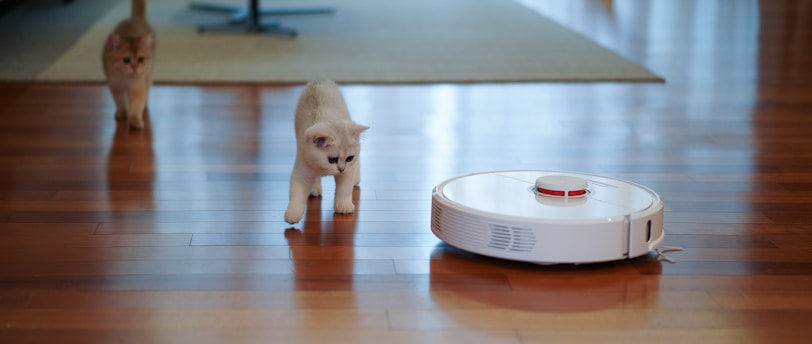

That feeling when your home simply isn't clean enough. Despite your best efforts, dust bunnies seem to gather in corners, pet hair clings to every surface, and tracked-in dirt mysteriously reappears just hours after you sweep. For many, vacuuming is a regular ritual, a necessary chore. But what if you could outsource that chore to a tireless, intelligent assistant, gaining back precious time and ensuring your floors are consistently spotless, even while you’re away? That's the alluring promise of the robot vacuum.
I've been immersed in the appliance business for over three decades, witnessing firsthand the incredible evolution of household technology. From those early, somewhat bewildered pucks that randomly bumped around, to today's smart, mapping marvels, robot vacuums have transformed daily home hygiene. And if there's one decision that truly impacts your cleaning efficiency, the thoroughness of your floors, and your ultimate hands-off convenience, it's the type of navigation system your robot vacuum employs. The debate often boils down to these two titans of autonomous cleaning: the systematic, intelligent Mapping robot versus the simpler, more unpredictable Random Navigation robot. I've seen countless homeowners pass through my store, grappling with this very dilemma, trying to weigh the pros and cons of precision coverage versus affordability, or targeted cleaning versus basic dust collection. Trying to rely on a random bouncer to clean a multi-room house, or battling a sophisticated mapper that constantly gets stuck on the same obstacle, isn't just inefficient; it's a recipe for prolonged frustration, lingering dirt, and, crucially, a less-than-truly-clean home. Trust me, I've heard enough sighs of relief from folks who finally achieved consistently spotless floors without lifting a finger and seen enough homes transformed by the right robot vacuum to know that cutting corners on this foundational cleaning appliance is a gamble you absolutely do not want to take.
So, whether you're a new homeowner navigating a complex layout, a busy family battling daily pet dander, or simply someone who desires a truly effective and convenient way to maintain a spotless home, understanding the nuances of Mapping versus Random Navigation robot vacuums is absolutely paramount. What exactly are these essential giants that silently suck up dust and debris with powerful suction and clever brushrolls? What separates the truly great models from the merely adequate ones that will leave you battling weak power, frustrating maneuverability, or unreliable coverage? That's precisely what we'll uncover today. We'll explore the ingenious design behind their various suction mechanisms and brushroll technologies, demystify the specs like Pa ratings and runtime, compare their unique strengths and weaknesses for different cleaning challenges and living spaces, and, crucially, highlight some of my favorite real-world products that offer exceptional cleaning power, efficiency, and user-friendly features. Ready to automate your cleaning and achieve consistently sparkling floors with confidence and ease? Let's get robot vacuuming!
The Autonomous Allies: Mapping vs. Random Navigation Robot Vacuums
Robot vacuums are autonomous cleaning appliances designed to vacuum (and sometimes mop) floors without direct human intervention. Their effectiveness, efficiency, and intelligence are largely determined by their navigation system.
1. Mapping (Smart Navigation) Robot Vacuums: The Intelligent Pathfinders
Mapping robot vacuums are the more advanced category. They use sophisticated sensors and algorithms to create a digital map of your home's layout, allowing them to clean systematically and efficiently.
How they work: These robots employ various mapping technologies:
LIDAR (Laser-Based): A laser scanner on top of the robot spins, emitting laser beams that measure distances to surrounding objects, creating a precise 3D map of the room in real-time.
V-SLAM (Visual Simultaneous Localization and Mapping): Uses an upward-facing camera to take thousands of images per second, combined with optical sensors, to map the ceiling and track its own position within the home.
Gyroscope-based Mapping: Uses internal gyroscopes to track movement and rotation, inferring a map (less precise than LIDAR/V-SLAM). Once a map is created, the robot plans a systematic, back-and-forth cleaning path, covering every accessible area.
Pros of Mapping Robot Vacuums:
Highly Efficient & Thorough: Cleans in neat, organized rows, covering every accessible area systematically without missing spots or redundant passes.
Faster Cleaning: Completes cleaning cycles more quickly due to optimized paths.
Targeted Cleaning: Via a smartphone app, you can define "no-go zones" (areas to avoid), "keep-out zones" (virtual walls), or send the robot to clean specific rooms or zones.
Multi-Floor Mapping: Many can store maps for multiple floors of a home.
Improved Obstacle Avoidance: Often equipped with more advanced sensors, cameras, and even AI to better recognize and navigate around obstacles.
Resume Cleaning: Can return to its charging base, recharge, and then resume cleaning exactly where it left off.
Detailed App Control: Apps provide interactive maps, cleaning history, and custom scheduling options.
Cons of Mapping Robot Vacuums:
Higher Upfront Cost: Generally significantly more expensive than random navigation models.
Sensor/Camera Sensitivity: Can sometimes struggle in very dark environments (V-SLAM) or with reflective surfaces (LIDAR).
Initial Mapping Time: Requires an initial mapping run (or a few cleaning runs) to build the first map.
Can Be Confused by Layout Changes: Moving furniture frequently can sometimes necessitate re-mapping.
Best For:
Larger Homes / Multi-Room Layouts: Where efficiency and thoroughness are critical.
Homes with Specific Cleaning Needs: (e.g., "clean the kitchen after dinner," "avoid the dog bowls").
Pet Owners: For daily maintenance cleaning of pet hair across the whole house.
Smart Home Enthusiasts: Who value advanced app control and integration.
2. Random (Bumper/Bounce) Navigation Robot Vacuums: The Simple Explorers
Random navigation robot vacuums are the simpler, more affordable category. They clean by moving in a straight line until they encounter an obstacle (via bumper sensors), then change direction randomly, repeating the process until their battery runs low or their timer expires.
How they work: These robots rely primarily on bumper sensors, cliff sensors (to detect stairs), and simple algorithms. They literally "bounce" around the room, changing direction each time they hit a wall or obstacle. They assume that given enough time, they will eventually cover the entire accessible area.
Pros of Random Navigation Robot Vacuums:
Lower Upfront Cost: Significantly more affordable than mapping models, making autonomous cleaning accessible to more budgets.
Simple Operation: Often just a "start" button. Easy for anyone to use.
Good for Small, Simple Spaces: Can be effective in small, open rooms with minimal furniture, or for spot cleaning.
Less Complex: Fewer sensors and simpler algorithms.
Cons of Random Navigation Robot Vacuums:
Less Efficient & Thorough: Can miss spots, clean the same area multiple times, and take much longer to cover a room. Coverage is based on chance.
Prone to Getting Stuck: More likely to get tangled in cords, stuck under furniture, or confused by complex layouts.
No Targeted Cleaning: Cannot clean specific rooms, set virtual walls (unless external accessories are used), or avoid specific areas via an app.
No Resume Cleaning: If the battery dies mid-cycle, it restarts from the beginning.
Less Advanced Obstacle Avoidance: Primarily relies on bumper contact.
Longer Cleaning Times: Due to their inefficient paths.
Best For:
Small, Simple Rooms: Where thoroughness isn't paramount, or for daily light dusting in a single, open space.
Budget-Conscious Buyers: Who want basic autonomous cleaning without a large investment.
Supplemental Cleaning: For daily maintenance between deeper manual vacuums.
Key Specifications & Features (General for All Robot Vacuums):
Beyond the navigation system, these specifications and features significantly impact a robot vacuum's cleaning performance, convenience, and long-term value.
Suction Power (Pa - Pascals or Air Watts - AW):
What it is: Measures the strength of the vacuum's suction. Higher Pa/AW means stronger suction.
Why it matters: Crucial for picking up heavy debris, deeply embedded dirt in carpets, and large amounts of pet hair.
1,500 - 2,500 Pa: Good for light dust, hard floors, low-pile carpets.
2,500 - 5,000 Pa+: Excellent for pet hair, medium-pile carpets, larger debris.
Battery Life / Runtime: How long the robot can clean on a single charge (e.g., 60-180 minutes). Longer runtime is better for larger homes.
Dustbin Capacity: The size of the internal dustbin. Larger bins mean less frequent emptying.
Filtration System:
HEPA-Style Filter: Captures a high percentage of allergens, dust mites, pet dander, and pollen. Crucial for allergy/asthma sufferers.
Washable Filters: Reduces replacement costs.
Brushroll Type:
Bristle Brushroll: Good for agitating carpets. Can get tangled with hair.
Rubber Brushroll (e.g., Roomba's multi-surface rubber brushes): Excellent for pet hair, less prone to tangling, good on hard floors.
Side Brushes: Small rotating brushes that sweep debris from edges and corners into the main cleaning path.
Anti-Tangle / Self-Cleaning Brushroll: Designed to prevent hair from wrapping around the brushroll.
Mop Functionality (2-in-1 or 3-in-1):
Dry Mopping: Attaches a dry microfiber cloth to pick up dust.
Wet Mopping: Dispenses water onto a microfiber pad.
Active Mopping (Pressure Mopping/Vibrating Pads): Applies pressure to the mop pad and/or vibrates it for more effective scrubbing.
Smart Features & App Control:
Wi-Fi Connectivity: Allows control via a smartphone app.
App Control: Scheduling, cleaning modes, suction power adjustment, map management (for mapping robots: no-go zones, room selection, cleaning history).
Voice Assistant Compatibility: (Alexa, Google Assistant) for voice commands.
Auto-Empty Dock: Robot returns to a dock that automatically empties its dustbin into a larger bag/bin in the dock (can hold weeks of dirt). Ultimate convenience.
Obstacle Avoidance:
Basic: Bumper sensors (detects contact), cliff sensors (detects stairs/drops).
Advanced: Lidar, V-SLAM, cameras, AI (recognizes specific objects like pet waste, cords), 3D obstacle avoidance.
Climbing Ability: How high the robot can climb over thresholds or onto rugs (e.g., 0.6 inches to 0.8 inches).
Noise Level (dBA): Lower dBA means quieter operation.
Dimensions/Height: Crucial for fitting under low-clearance furniture.
Factors to Consider When Choosing Your Robot Vacuum:
Home Size & Layout:
Large / Multi-Room / Multi-Floor: Mapping robots (LIDAR/V-SLAM) are essential for efficient, thorough coverage.
Small / Simple / Open-Concept: Random navigation can suffice, but mapping still offers benefits.
Stairs: All robots avoid stairs due to cliff sensors. Multi-floor mapping is for carrying the robot between floors.
Floor Types:
Mostly Hard Floors: Most robots do well. Look for soft brushrolls or dedicated hard floor modes/tools.
Mostly Carpet: Look for high suction power (Pa), powerful brushrolls (bristle/rubber combo), and good climbing ability.
Mixed Flooring: Most mapping robots handle transitions well. Brushroll shut-off or auto-adjusting brushrolls are useful.
Pet Ownership: Look for high suction power, tangle-free brushrolls (rubber preferred), and large dustbins/auto-empty docks for pet hair.
Specific Cleaning Needs:
Mopping: If integrated mopping is a priority. Look for active mopping (scrubbing) vs. passive (wiping).
Allergies / Asthma: Prioritize strong suction, sealed filtration (HEPA-style), and auto-empty docks to avoid dust exposure.
Budget: Robot vacuums vary widely in price. Consider both the initial purchase price and the ongoing cost of filter/brush replacement. Auto-empty docks add cost.
Smart Home Integration: If you use Alexa, Google Assistant, or have complex scheduling needs.
Noise Tolerance: Check dBA ratings, especially for bedrooms.
Obstacles & Clutter: Mapping robots handle clutter better, but all robots perform best in a relatively clutter-free environment.
Installation & Maintenance Tips:
Initial Setup: Charge the robot fully. Connect to Wi-Fi and download the app. For mapping robots, perform an initial mapping run (or a few cleaning runs) to create the home's map.
Clear the Path: Before each cleaning run, pick up large objects, loose cords, pet waste, socks, and other items that can tangle the robot or get sucked up.
Dustbin & Filter Cleaning (Regularly!): Empty the dustbin after every few runs (or daily for pet owners). Clean/tap out the main filter regularly (e.g., weekly). Washable filters should be air-dried completely. Replace filters per manufacturer guidelines (e.g., every 3-6 months).
Brushroll Maintenance: Regularly check and clean the main brushroll and side brushes for tangled hair, strings, or debris. Use a cleaning tool (often included).
Sensor Cleaning: Wipe down the robot's sensors (bumper, cliff, mapping sensors) regularly with a dry cloth. Dirty sensors can impair navigation.
Charging Base Placement: Place the charging base in an open area with good Wi-Fi signal, free of obstructions, so the robot can easily find it.
Firmware Updates: Keep the robot's firmware updated via the app for optimal performance and new features.
Troubleshooting: Consult the app or manual for error codes.
Seven Top Robot Vacuums: Mapping vs. Random Navigation: A Closer Look
Let's dive into some specific, real-world products that exemplify excellence in robot vacuum design, catering to various needs, home layouts, and budgets.
Product Review 1: Roborock S8 Pro Ultra Robot Vacuum and Mop - Ultimate Mapping & Cleaning Power
Roborock is a leading innovator in robot vacuums, particularly renowned for its advanced LIDAR mapping, powerful suction, and comprehensive all-in-one docking stations. The S8 Pro Ultra is a top-tier performer.
Key Features: LIDAR navigation for precise mapping, systematic cleaning, and multi-floor support. Extremely powerful 6,000 Pa HyperForce® suction. Features a DuoRoller Riser™ Brush (dual rubber brushrolls that lift for mopping). VibraRise® 2.0 Mopping System (vibrates at 3,000 times/min and lifts automatically on carpets). RockDock™ Ultra auto-empty & refill dock (automatically empties dustbin, refills water, washes mop, dries mop with hot air). Reactive 3D Obstacle Avoidance. App control (map management, no-go zones, zone cleaning). Quiet operation (often 40-50 dBA).
Pros:
Unrivaled Hands-Off Experience: The RockDock™ Ultra is the ultimate all-in-one solution, providing automatic dust emptying, mop washing/drying, and water refilling for weeks of autonomous cleaning.
Exceptional Cleaning Performance: Powerful 6,000 Pa suction tackles deeply embedded dirt and pet hair. DuoRoller Riser™ Brush is excellent for carpets and avoids tangles.
Superior Mopping: VibraRise® 2.0 mopping system provides effective scrubbing and lifts automatically on carpets, preventing wet carpets.
Precise Mapping & Navigation: LIDAR ensures efficient, thorough cleaning paths, multi-floor support, and accurate obstacle avoidance.
Advanced Obstacle Avoidance: Reactive 3D sensors help it navigate complex environments without getting stuck.
Smart App Control: Comprehensive map management, customized cleaning, and detailed settings.
Cons:
Very High Price Point: A significant luxury investment.
Dock Size: The all-in-one dock is large and requires dedicated space.
Dock Bags: Requires disposable dust bags for the auto-empty function.
Water Management: Requires refilling the clean water tank and emptying the dirty water tank on the dock periodically.
Ideal Use Cases: Large homes, complex layouts, pet owners (high hair volume), severe allergy sufferers, and anyone who demands the absolute best in hands-off, powerful, and comprehensive robot vacuuming and mopping.
Price Range: $1,200 - $1,600+.
Product Review 2: iRobot Roomba j9+ Robot Vacuum and Mop - Premium Mapping & Pet-Friendly
iRobot Roomba is a pioneer in robot vacuums, known for its powerful suction and advanced navigation. The j9+ is a premium model focusing on pet-friendliness and automatic convenience.
Key Features: iRobot OS with PrecisionVision Navigation (uses a front-facing camera for real-time object recognition and obstacle avoidance, including pet waste). Automatically empties into a Clean Base® Automatic Dirt Disposal dock (holds up to 60 days of debris). Power-lifting mop that lifts away from carpets. Dirt Detect™ Technology. Automatically maps the home. Imprint® Smart Mapping (customizable maps, no-go zones). Integrates with voice assistants. High-efficiency filter (HEPA-style).
Pros:
Exceptional Obstacle Avoidance (Pet Waste Guarantee): PrecisionVision Navigation is a standout feature, particularly for avoiding common household hazards like pet waste and cords. iRobot offers a P.O.O.P. (Pet Owner Official Promise) guarantee for pet waste avoidance.
Automatic Dirt Disposal: The Clean Base® dock provides weeks of hands-free dirt disposal, greatly enhancing convenience for pet owners.
Effective Cleaning: Powerful suction and dual multi-surface rubber brushrolls (tangle-free for pet hair) provide excellent cleaning on both carpets and hard floors.
Mop Functionality: Power-lifting mop pad lifts automatically to avoid wetting carpets.
Smart Mapping: Imprint® Smart Mapping allows for customized cleaning zones and room targeting.
Trusted Brand: iRobot has a long history in robot vacuums.
Cons:
High Price Point: A significant luxury investment.
Camera Navigation: Can struggle in very dark environments (compared to LIDAR).
Dock Size: The auto-empty dock is large.
Mop System: The mop is a passive drag system, less effective at scrubbing than vibrating mop systems.
Bags Required: The Clean Base® requires disposable dust bags.
Ideal Use Cases: Homes with pets (especially prone to accidents), allergy sufferers (sealed dirt disposal), busy families, and anyone who prioritizes advanced obstacle avoidance, automatic dirt disposal, and a premium, pet-friendly cleaning experience.
Price Range: $900 - $1,200+.
Product Review 3: DreameBot L10s Ultra Robot Vacuum and Mop - Mapping with Advanced Mop Washing
Dreame is a rapidly growing brand known for cutting-edge robot vacuum technology, often at competitive prices, with a strong focus on advanced mopping and auto-empty systems.
Key Features: LIDAR navigation for precise mapping. Powerful 5,300 Pa suction. Dual spinning mop pads (rotates and presses down) that automatically lift on carpets. Auto-empty & auto-mop washing dock (cleans mop pads with hot water, dries with hot air, automatically refills water). Auto-add cleaning solution to water. AI-powered obstacle avoidance. Built-in camera for real-time monitoring.
Pros:
Exceptional Mopping Performance: Dual spinning and pressing mop pads provide very effective scrubbing for hard floors. Hot water mop washing in the dock ensures clean pads.
Fully Automated Dock: Automatically empties dustbin, washes mop pads with hot water, hot air dries mop pads, and refills water tank, providing a near hands-off experience.
Powerful Suction: 5,300 Pa tackles tough dirt and pet hair.
Precise Mapping & Navigation: LIDAR ensures efficient, systematic cleaning.
AI-Powered Obstacle Avoidance: Helps it navigate complex environments.
App Control: Comprehensive map management and features.
Cons:
High Price Point: A significant investment.
Dock Size: The all-in-one dock is large.
Water Management: Requires refilling clean water tank and emptying dirty water tank on the dock periodically.
Camera for Obstacle Avoidance: Privacy concerns for some users.
Ideal Use Cases: Homes with significant hard floor areas, pet owners, busy families who want a highly automated cleaning solution with superior mopping performance and powerful vacuuming.
Price Range: $800 - $1,100+.
Product Review 4: Ecovacs Deebot T8 AIVI Robot Vacuum with OZMO™ Mopping - Mapping with AI Vision
Ecovacs is a major player in robot vacuums, focusing on smart navigation and innovative mopping systems. The Deebot T8 AIVI brings AI vision for enhanced obstacle avoidance.
Key Features: TrueMapping™ (LIDAR) navigation for precise mapping. AIVI™ Technology (Artificial Intelligence and Visual Interpretation) uses a front-facing camera for real-time object recognition and advanced obstacle avoidance (recognizes shoes, socks, pet waste, cables). Powerful suction. OZMO™ Mopping System (simultaneous vacuuming and mopping with electronic water control). Optional auto-empty station. Multi-floor mapping. Live video feed from robot camera.
Pros:
Advanced AI Obstacle Avoidance: AIVI™ technology helps it avoid common household clutter, significantly reducing the chances of getting stuck or running over hazardous items.
Precise Mapping & Navigation: TrueMapping™ (LIDAR) ensures efficient, systematic cleaning and multi-floor support.
Simultaneous Vacuuming & Mopping: OZMO™ mopping cleans hard floors efficiently.
Live Video Feed: The on-board camera allows for real-time monitoring of your home from the robot's perspective.
Good Suction: Provides effective cleaning for various floor types.
Optional Auto-Empty Station: Enhances convenience for hands-free dirt disposal.
Cons:
High Price Point: A premium robot vacuum.
Mopping System: OZMO™ mopping is a passive drag, less effective than vibrating or rotating mop pads for scrubbing.
Camera Privacy: Some users may have privacy concerns about a robot vacuum with a camera.
Dock is Optional: Auto-empty dock is often sold separately.
Ideal Use Cases: Large homes, pet owners, allergy sufferers, and anyone who wants highly intelligent obstacle avoidance, precise mapping, and a simultaneous vacuum/mop function in a single unit.
Price Range: $500 - $800 (robot only, dock extra).
Product Review 5: Eufy RoboVac X8 Hybrid Robot Vacuum and Mop - Mapping with Twin Turbine Suction
Eufy is a popular brand known for accessible smart home devices. The RoboVac X8 Hybrid offers powerful twin-turbine suction and smart navigation at a competitive price.
Key Features: iPath™ Laser Navigation (LIDAR) for precise mapping. Features Twin Turbine™ Technology (two powerful turbines generate 2x the airflow, 2000 Pa per turbine for 2x power). 2-in-1 vacuum and mop function with electronic water control. Multi-floor mapping. BoostIQ™ Technology (auto-increases suction on carpets). App control (no-go zones, zone cleaning). Quiet operation.
Pros:
Powerful Suction (Twin Turbine™): The dual turbines generate exceptional suction power (often 2x compared to single turbine models), making it very effective at picking up pet hair and deeply embedded dirt.
Precise Mapping & Navigation: iPath™ Laser Navigation ensures efficient, systematic cleaning paths and accurate room mapping.
Simultaneous Vacuuming & Mopping: Cleans hard floors efficiently.
Good Value: Offers powerful suction, LIDAR mapping, and mopping at a very competitive mid-range price.
Quiet Operation: Relatively quiet for its power.
BoostIQ™ Technology: Automatically adjusts suction for optimal cleaning on different surfaces.
Cons:
Mopping System: Standard passive mopping (wiping), less effective at scrubbing than vibrating or rotating mop pads.
No Auto-Empty Dock: Dustbin must be manually emptied.
No Advanced Obstacle Avoidance: Relies on LIDAR and bumpers, not cameras or AI for object recognition.
Not for Large Homes: While powerful, max coverage might be limited compared to premium models.
Ideal Use Cases: Homes with pets, mixed flooring (hard floors and carpets), and those seeking powerful vacuuming, accurate LIDAR mapping, and basic mopping at a great mid-range price point.
Price Range: $300 - $500.
Product Review 6: iRobot Roomba 694 Robot Vacuum - Best Value Random Navigation
The iRobot Roomba 600 series (like the 694) represents the classic Roomba experience, offering reliable random navigation cleaning at an accessible price.
Key Features: Random (Adaptive Navigation) with Dirt Detect™ Technology (focuses on dirtier areas). Features a 3-Stage Cleaning System (loosen, lift, suck) with dual multi-surface brushes. Connects to Wi-Fi for app control and scheduling. Voice assistant compatibility. Auto-adjusts to floor types. Long runtime.
Pros:
Affordable Roomba Experience: Provides reliable Roomba cleaning at a very budget-friendly price, making autonomous cleaning accessible.
Effective Cleaning: The 3-Stage Cleaning System and dual multi-surface brushes are effective at picking up dust, debris, and pet hair on both carpets and hard floors.
Dirt Detect™ Technology: Focuses cleaning on dirtier areas, improving thoroughness where needed.
Easy to Use: Simple "Clean" button operation or app control.
App Control & Scheduling: Wi-Fi connectivity allows for basic scheduling and remote starting.
Good for Pets: Effective at managing daily pet hair.
Trusted Brand: iRobot's long history in robot vacuums.
Cons:
Random Navigation: Cleans in a random, less efficient pattern, can miss spots, and takes longer to cover a room. Not systematic.
No Mapping: Lacks mapping capabilities, so no room selection, virtual walls, or "resume cleaning."
Prone to Getting Stuck: More likely to get tangled in cords or stuck under complex furniture.
No Mopping Functionality.
Dustbin Capacity: Requires frequent emptying.
Ideal Use Cases: Small, simple, open homes or individual rooms where budget is the primary concern, and basic daily maintenance cleaning (especially for pet hair) is desired. Good for supplementing manual vacuuming.
Price Range: $180 - $250.
Product Review 7: Eufy RoboVac 11S MAX Robot Vacuum - Best Budget Random Navigation
Eufy's RoboVac 11S MAX is a very popular and highly-rated robot vacuum, offering powerful suction and quiet operation in a compact design, making it an excellent budget-friendly choice for basic cleaning.
Key Features: Random (BoostIQ™ Technology) navigation. Increased 2000 Pa suction power (compared to original 11S). Super-slim 2.85-inch profile. Quiet operation (often 58 dB). Multiple cleaning modes (Auto, Spot, Edge, Single Room). Auto-adjusts suction for floor types. Infrared sensors for obstacle avoidance. Remote control included.
Pros:
Exceptional Value: Offers powerful 2000 Pa suction and quiet operation at an incredibly budget-friendly price point.
Super-Slim Profile: Allows it to easily clean under low-clearance furniture where many other robots can't reach.
Very Quiet Operation: One of the quietest robot vacuums on the market, making it less disruptive.
Effective Cleaning: BoostIQ™ technology and powerful suction pick up dust, debris, and pet hair effectively on both hard floors and low-pile carpets.
Compact & Discreet: Blends well into home environments.
Easy to Use: Simple "Clean" button operation or remote control.
Cons:
Random Navigation: Cleans in an unsystematic pattern, can miss spots, and is less efficient for larger or complex homes.
No Mapping: Lacks mapping capabilities, so no targeted room cleaning, virtual walls, or "resume cleaning."
More Prone to Getting Stuck: Basic obstacle avoidance (infrared sensors, bumper) means it can get stuck more often than mapping robots.
No Wi-Fi/App Control: Relies on remote (older models); newer eufy models offer app control.
No Mopping Functionality.
Dustbin: Requires manual emptying.
Ideal Use Cases: Small to medium-sized homes with relatively open layouts, individual rooms, dorms, or anyone on a tight budget who wants powerful suction, quiet operation, and a very slim profile for daily maintenance cleaning.
Price Range: $150 - $200.
The Cleaning Commander's Code: Tips for Robot Vacuum Mastery
Owning the right robot vacuum is a fantastic investment, but proper initial setup, diligent maintenance, and smart home integration ensure optimal performance, consistently clean floors, and longevity.
Sizing is CRITICAL! (Match Navigation Type & CADR to Home): This is the most important step.
Mapping Robots (LIDAR/V-SLAM): Essential for larger homes, multi-room layouts, homes with frequent layout changes, or if you need room-specific cleaning, virtual walls, or multi-floor mapping.
Random Navigation Robots: Best for small, simple, open rooms, or for daily supplemental cleaning where budget is the primary concern. They will struggle with complex layouts.
Optimal Placement of Charging Base:
Place the charging base in an open area with good Wi-Fi signal (if applicable), free of obstructions, so the robot can easily find it and dock.
Ensure there's adequate clear space in front and to the sides of the base (check manual for specific measurements).
Initial Setup & Mapping Run (for Mapping Robots): Charge the robot fully. Connect it to Wi-Fi and download the manufacturer's app. Perform an initial mapping run (or a few full cleaning runs) where the robot is allowed to explore your entire home undisturbed. This creates the foundational map.
Prepare Your Home (Daily/Before Cleaning Runs):
Clear the Path: Before each cleaning run, pick up large objects, loose cords, socks, shoelaces, pet waste, small rugs that can get bunched up, and anything that can tangle the robot or get sucked up. Robot vacuums are great, but they're not infallible.
Open Doors: Open doors to rooms you want cleaned.
Lift Curtains/Cables: Ensure curtains are not dragging on the floor and cables are secured.
Dustbin & Filter Cleaning (Regularly!): This is paramount for suction power and air quality.
Empty Dustbin: Empty the robot's internal dustbin after every few runs, or daily for pet owners. A full dustbin reduces suction dramatically.
Clean/Tap Out Filter: Clean or tap out the main filter (HEPA-style) regularly (e.g., weekly).
Replace Filters: Replace filters as per manufacturer guidelines (typically every 3-6 months), or when the app/robot indicates. This is the main ongoing cost.
Auto-Empty Docks: If you have an auto-empty dock, you only need to change the larger dust bag/bin in the dock periodically (e.g., every 30-60 days), greatly reducing direct dust exposure.
Brushroll Maintenance: Regularly check and clean the main brushroll and side brushes for tangled hair, strings, or debris. Use a cleaning tool (often included) to cut wrapped hair. This is especially important for pet owners.
Sensor Cleaning: Wipe down the robot's sensors (bumper sensors, cliff sensors, mapping sensors like LIDAR turrets, optical sensors) regularly with a dry, soft cloth. Dirty sensors can impair navigation and lead to the robot getting stuck or missing areas.
Firmware Updates: Keep the robot's firmware updated via the app for optimal performance, new features, and bug fixes.
Manage No-Go Zones/Virtual Walls (Mapping Robots): Use the app to set up "no-go zones" (areas the robot should avoid, like pet food bowls or high-clutter areas) or "virtual walls" to block off rooms you don't want cleaned.
Troubleshooting: Consult the app or manual for error codes. Often, a "stuck" robot is due to a tangled brushroll or dirty sensor.
Privacy (for Camera-Based Robots): If your robot vacuum has a camera (V-SLAM or AIVI™), be mindful of privacy concerns. Ensure it's used in appropriate areas and that video is securely stored/managed.
Conclusion: Your Home, Your Comfort, Consistently Cleaned!
The robot vacuum, far from being a mere novelty, is a powerful and intelligent ally, transforming the daily chore of floor cleaning into a hands-off, consistently spotless experience. It brings automated efficiency and unparalleled convenience to modern homes, ensuring your floors are always pristine, even while you’re living your life.
We've explored the systematic thoroughness and targeted cleaning capabilities of Mapping robots, ideal for complex homes. We've delved into the budget-friendly accessibility and simple operation of Random Navigation robots, perfect for smaller, open spaces. From the ultimate all-in-one convenience and powerful cleaning of a Roborock S8 Pro Ultra with its advanced dock, a benchmark for automation, to the pet-friendly obstacle avoidance and automatic dirt disposal of an iRobot Roomba j9+, and the value-packed smart navigation of an Eufy RoboVac X8 Hybrid with twin turbine suction, each robot vacuum offers a unique pathway to floor-cleaning mastery.
Don't let lingering dust, stubborn pet hair, or frustrating inefficiencies compromise your home's cleanliness or your precious time. Invest wisely in the best robot vacuum that aligns with your specific home size, layout, cleaning needs, and budget. Understand its nuances, and, crucially, commit to diligent maintenance, smart usage, and proper setup. Because with the right robot vacuum patrolling your floors, you're not just cleaning; you're gaining back time, ensuring hygiene, and safeguarding the cleanliness and serenity of your home for years to come. So, choose with precision, automate with confidence, and let your floors sparkle with the brilliance of a chore effortlessly conquered!
Top Quality Home Appliances
Stay updated with our latest reviews.
subscribe
contact@topqualityhomeappliances.com
© 2025. All rights reserved.